Fix the wrong artist or catalog
Stop a bad artist match before it is added, or send a reproducible catalog mismatch to support for review.
- Confirm what is mismatched
Compare the Jovie profile with the provider page. Treat another artist’s image, biography, provider URL, or releases as a mismatch even when the artist names are identical.
- Reject an unconfirmed suggestion
In Identity → Suggested, choose Not me beside an incorrect identity. This is the safe self-service correction before a suggestion is attached.
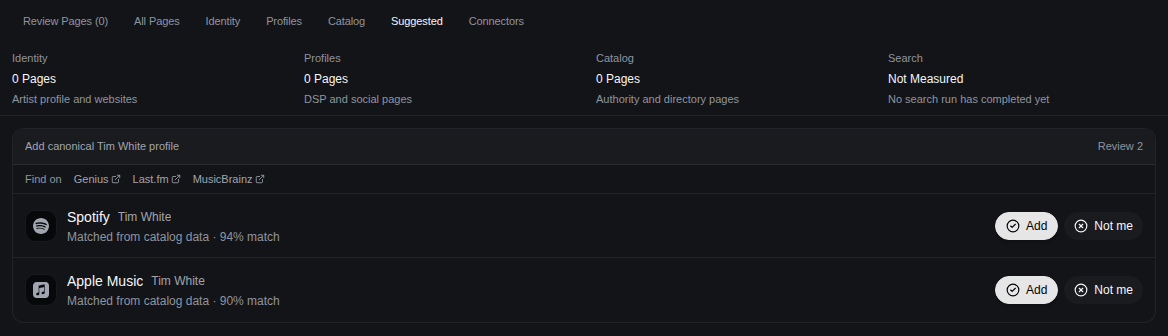
Reject an incorrect suggestion instead of adding it. - Separate editable profile details from provider data
For your claimed profile, you may edit your own display name, username, image, location, hometown, and career highlights under Settings → Profile. Do not rewrite those fields to disguise a wrong provider identity, release, or catalog owner; those require review.
- Send the mismatch to support
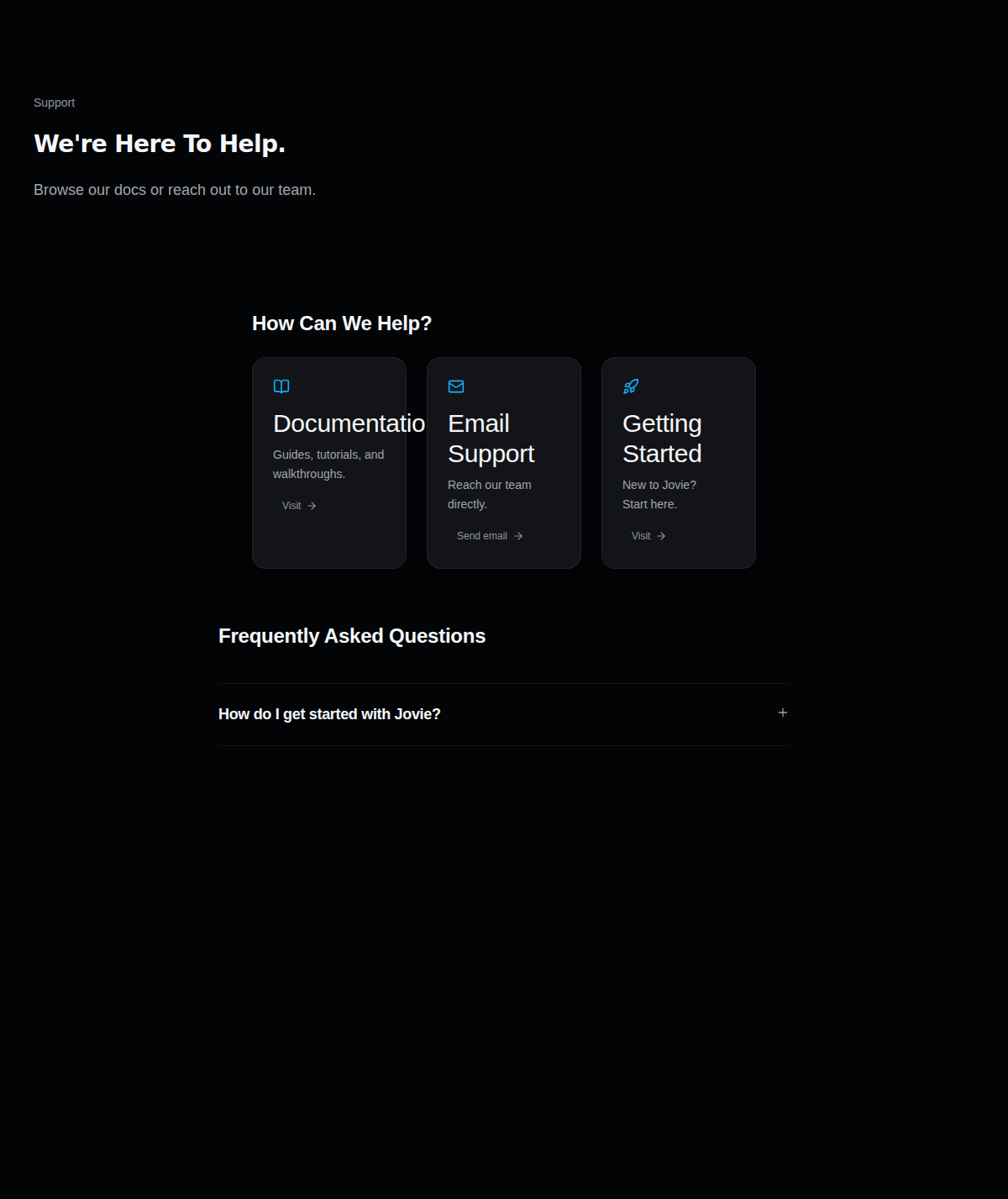
Open Support , choose Contact Support, then Email support with this context, and include the Jovie profile URL, incorrect provider URL, expected artist URL, affected release title, and a screenshot. Include UPC or ISRC only when it is visible to you.
Send both the incorrect and expected identities so support can reproduce the mismatch.
What happens next
Support reviews the supplied identity and catalog evidence. Keep the incorrect URLs available until the review is complete; no fixed resolution time is promised.
Troubleshooting
The wrong suggestion was already added
Do not add a second identity as a workaround. Send the attached provider URL and expected provider URL through Contact Support.
Another person has claimed the profile
Do not edit or attempt repeated claims. Include the claimed Jovie URL, your correct Spotify artist URL, and proof context in the support email.